

The short answer
What Is Lichii?
Lichii is an experimental, open source emulator for Nintendo Switch and Nintendo Switch 2 games, written in C++ and developed in the open on GitHub. The lichii emulator began as a fork of Eglantine, which itself builds on the Eden, yuzu and Sudachi projects, and it keeps their contributions while pushing game compatibility and renderer fixes of its own.
The Android build covered on this site takes that same core and brings it to phones. It is maintained by pavelgajdo, starts with Samsung Exynos handsets and their AMD based Xclipse graphics, and follows the upstream lichii switch 2 emulator work closely: recent Android releases fold in around 130 upstream changes at a time, from mesh shader handling to faster ASTC texture decoding.
Set your expectations the way the project sets them. Compatibility and performance vary by game, hardware and driver, and rendering errors, stutters and crashes remain possible. What you get in return is the fastest moving Switch 2 emulation project there is, with new builds landing constantly and a community that reports exactly what works, game by game.
Inside the emulator
Lichii Features
Every feature below is in the current Android build and was checked against the release notes and our own test phones, not copied from a feature list.
Switch 2 game support
Lichii targets Switch 2 software directly, the generation older emulators cannot touch. Early headliners include Zelda Ocarina of Time, Mario Kart World, Donkey Kong Bananza, Star Fox and Pokemon Pokopia, each at a different stage of playability.
Handheld and docked modes
Run games the way you prefer. Handheld mode is the recommended starting point on Android, while docked mode reports up to 1080p output to games that ask for it.
NCE CPU backend
The native code execution backend compiles game code for your phone processor instead of interpreting it, which is a large part of why heavy scenes hold their frame rate at all.
Vulkan 1.3 rendering
The renderer speaks Vulkan 1.3, with mesh shader draws handled even on graphics chips without native mesh shader support, and tensor style operations on GPUs that offer cooperative matrix support.
Per game settings
Every title gets its own profile: resolution scale, memory limits during scene loads, frame ahead presentation and game specific fixes, all set per game instead of globally.
Built in FPS unlock
For Ocarina of Time, a built in FPS unlock and Dynamic FPS support keep game logic at real speed when the frame rate changes, so faster rendering never means a faster, stranger game.
Hardware movie decoding
AV1 movies are decoded with Android hardware through MediaCodec, so cutscenes play at full speed instead of crawling through software decoding.
Logs that help
The emulator writes a proper log file and accepts diagnostic switches, which makes real troubleshooting possible when a game misbehaves on your specific phone and driver.
Plenty of emulator ports promise the desktop experience in your pocket. The lichii Apk earns its place differently: it is honest about memory, careful with per game fixes, and updated in small, explained steps.
From real gameplay footage
Lichii Screenshots
Every frame below comes from real gameplay footage of Lichii and the games it runs: the Ocarina of Time title and intro, in game scenes from two different builds, and the Switch 2 titles players ask about most. No renders and no mock ups.
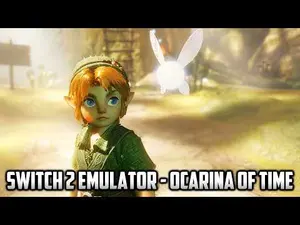
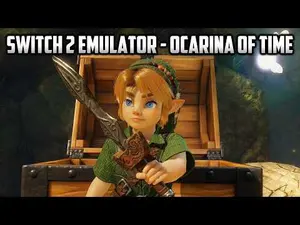

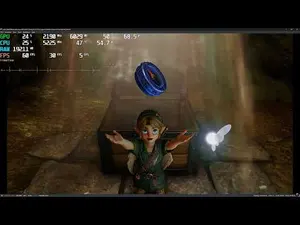

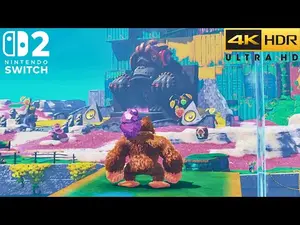
The current Android build
What Is New in the Android Build
The latest Android release focused on the two things phone players feel most: steadiness and memory. Ocarina of Time runs faster and much steadier, helped by skipping the game anti aliasing network on Android by default (it ran as slow software tensor maths on phones) and by two upstream fixes that make the GPU threads wait on each other far less.
Broken starts were chased down too. Some launches showed a black scene with white and purple streaks; a fix for a shader translation race should stop them, and a crash when loading a save is fixed. Memory handling improved across the board: GPU memory gives way before the system low memory killer acts, render targets below full resolution no longer keep a full size copy, and shader compiling uses less memory.
On Xclipse graphics there is more ground detail than before, because mesh shader draws that used to be skipped are now drawn through compute. The pattern to notice is the direction of travel: every build removes one more reason a game closes, streaks or stalls on a phone.
Start playing in minutes
How to Install Lichii on Android
The install follows the familiar pattern for a direct APK download, with the emulator specific steps done in the right order.
- Fetch the file. Use the download button on this site and let the file arrive completely; a partial file is the one cause of most failed installs.
- Allow the install. When Android asks, permit installs from your browser just for this file, then open the download and confirm.
- Add your games folder. Point the emulator at the folder holding your own game dumps. Extracted games in a folder work too, as long as the folder holds the game files in the expected layout.
- Set up keys and firmware. Add the keys and firmware from your own console. None are included with the emulator, and games will not start without them.
- Start conservative. Handheld mode, the NCE CPU backend and 0.5x resolution are the tested starting point. Raise settings one at a time once your first game runs.
From there, the install guide on this site walks the whole sequence slowly, with the mistakes to avoid at each step.
Game by game, honestly
Game Compatibility on Android
Compatibility is a moving target, so here is the honest snapshot from the Android release notes and tester reports. Zelda Ocarina of Time is the flagship: it boots, plays through Kokiri Forest and beyond, and got steadier with every release, at 0.5x resolution on phones. At 1x on a 12 GB phone it can use more memory than the phone has, so the lower scale is the sensible default.
Pokemon Pokopia is playable at about 40 frames per second at 0.5x resolution, even in busy outdoor scenes, though its sky renders black on Xclipse phones for now. Pragmata no longer quits at startup, but it does not render yet. That spread is typical of the lichii switch 2 emulator today: a few games genuinely playable, more booting, and fixes arriving build by build.
On desktop builds the picture runs ahead, with Ocarina of Time reported at 50 to 60 frames per second in most areas on strong hardware. The Android port pulls those upstream fixes in as fast as phone memory allows.
Checked before it lands here
Safety and Verification
The file offered on this site is checked before it is listed: package identity confirmed as dev.lichii.android, permissions reviewed, and the build installed and run on our test phones with our own game dumps. If a build fails any check, it does not go up.
Lichii itself is open source under the GPL-3.0 license, which means its code can be read by anyone, and the lichii Github repositories publish full release notes, known issues included. That openness is the real safety net: nothing about how the emulator behaves is a secret you have to take on trust.
Under the hood
Technical Details
The upstream emulator is written mostly in C++, built with CMake, and developed on a branch called nx2. The Android port packages it as an arm64 app for Android 13 and newer, rendering through Vulkan 1.3. Diagnostic switches can be set in a plain text file inside the app data folder at Android/data/dev.lichii.android/files/env.txt, and problems are reported with the phone model, the driver and the eden_log.txt log file the emulator writes.
Two details explain most of the performance story. ASTC textures, which many phone GPUs cannot use directly, are converted a few layers at a time instead of all at once, which keeps memory spikes down during scene loads. And on GPUs without ASTC support, converted textures keep their mip levels from a sensible size, trading a little sharpness for games that stay open.
The honest balance
Pros and Cons
What we like: genuine Switch 2 emulation on a phone, an open codebase with public release notes, per game settings that respect how different titles behave, hardware movie decoding, and an update pace that visibly fixes named problems build after build.
What to accept: this is experimental software. It wants a powerful phone, ideally 16 GB of RAM for the heaviest games, it heats up during long sessions and slows until it cools, microphone input is not supported on Android, and some games boot without rendering or close under memory pressure. None of that is hidden, here or by the project.
Earlier builds
Old Versions
The Android line moved quickly. The first release booted Ocarina of Time and ran its title screen and intro movies at 60 frames per second, then hung loading the first gameplay scene. The next build got past that hang and made Pokopia playable. The build after that reached gameplay in Ocarina of Time properly, with Kokiri Forest at about 15 to 20 frames per second at 0.5x, and memory limits during scene loads arrived.
Later builds steadied the flagship game, synced cutscene audio, fixed graphical faults like the red line in the tomb and flickering water, and added the built in FPS unlock. We serve the current build, and for most players that is the right choice: it carries every one of those fixes at once.
When a game will not play ball
Troubleshooting
Most Lichii problems on Android have plain causes. If a game closes during a scene load, memory is the first suspect: drop to 0.5x resolution, close other apps, and check the per game memory limit setting. If a start shows a black scene with coloured streaks, update to the current build, where the shader race behind that fault is fixed.
If the phone gets hot and performance slides during a long session, that is thermal throttling, and a break genuinely is the fix; performance modes in your phone game booster can help a little. If a game folder does not appear in the list, the emulator may need the all files access permission for loose game folders. Our fixes guides work through the full list in order, one cause at a time.
Staying current
How to Update Lichii
Updating is a small ritual. Download the new file from this site, open it, and install it over your existing copy. Your games, saves and settings carry across, because they live outside the app package.
Back up your saves before testing any new build anyway; experimental software earns that much caution. Then give your main game ten minutes before you judge the build, because the first launch after an update rebuilds shader caches and always feels rougher than the second.